2017年10月28日星期六

How to Program BMW F30 FEM Key with CGDI Prog Key Programmer

Here’s the little guide on programming key on a BMW F30 FEM system with CGDI Prog BMW MSV80 Car Key Programmer.
Device required:
CGDI Prog BMW key programmer
BMW FEM/BDC Test Platform for BMW  F20 F30 F35 X5 X6 I3
Preparation:
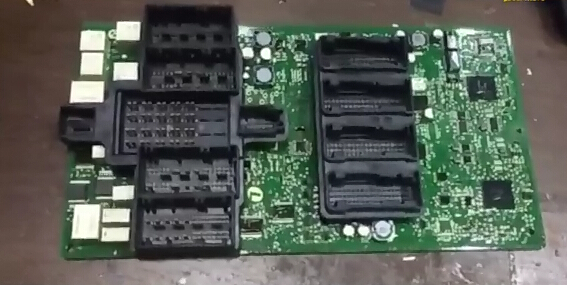
Disassemble the FEM/BDC module from vehicle
Procedure:
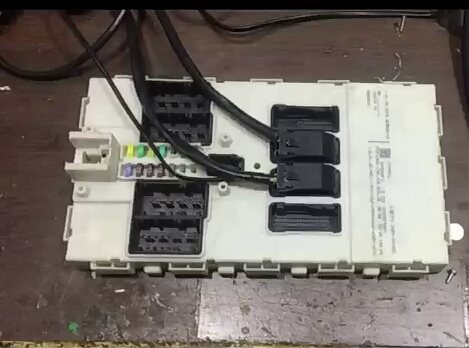
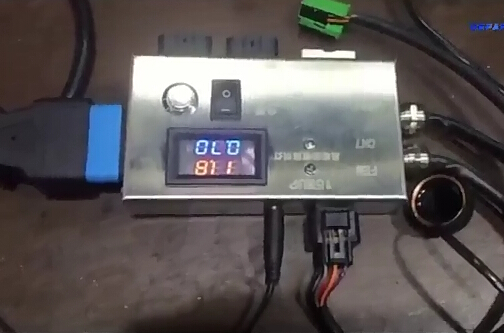
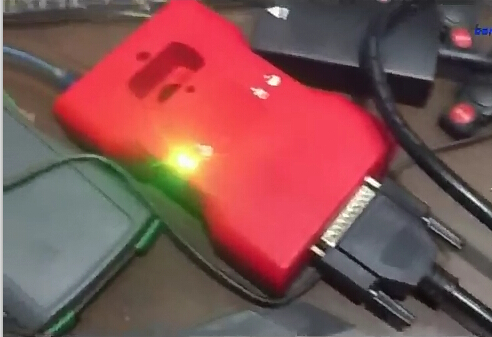
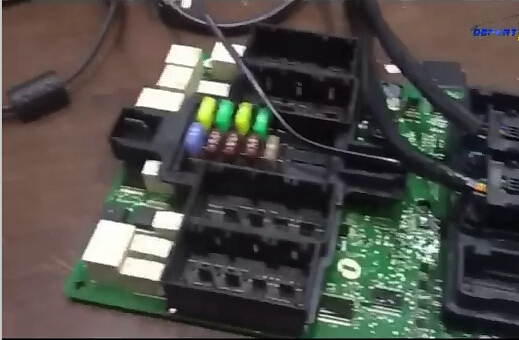
Connect BMW FEM/BDC test platform with CGDI Prog and FEM/BDC module from Obd2tool.com
cgdi-prog-1
cgdi-prog-2
cgdi-prog-3
Open CGDI Prog BMW software
cgdi-prog-4
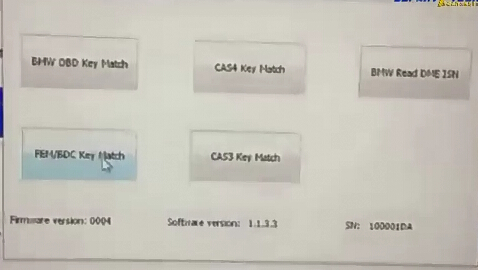
Select FEM/BDC Key Match
cgdi-prog-5
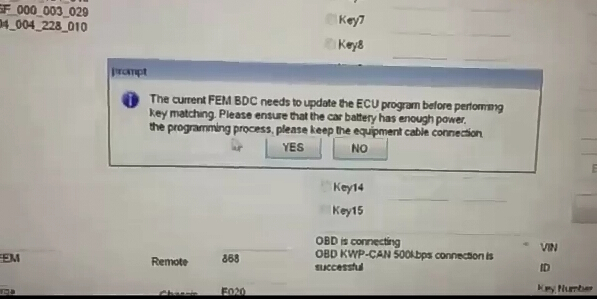
The current FEM BDC needs to update the ECU program before performing key matching. Please ensure that the car battery has enough power supply. Please do not disconnect cable connection during programming procedure.
cgdi-prog-6
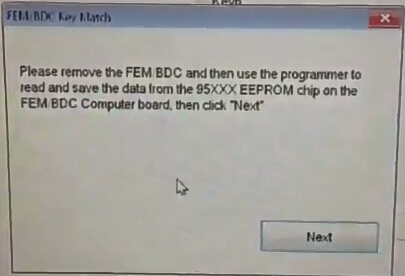
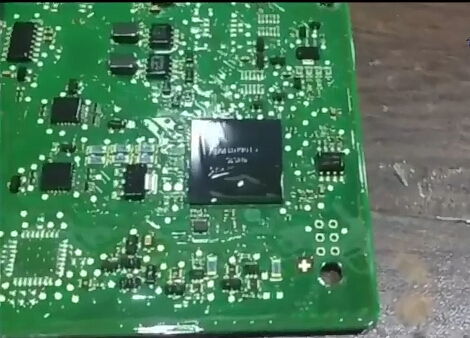
Please remove the FEM BDC and then use the programmer to read and save the data from the
95xxx EEPROM chip on the FEM/BDC computer board, then click “Next”
cgdi-prog-7
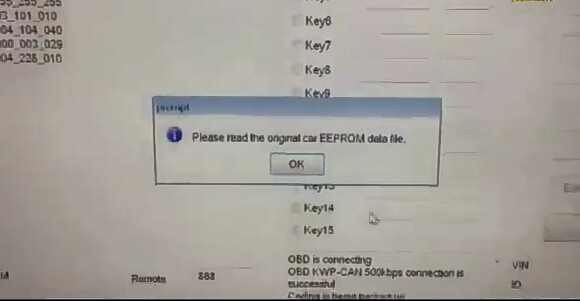
Please read the original car EEPROM data
cgdi-prog-8
cgdi-prog-9
cgdi-prog-10
cgdi-prog-11
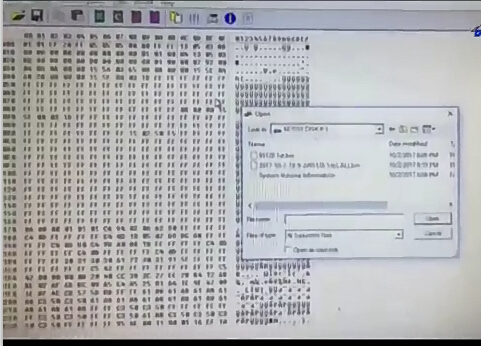
Read eeprom data with Key Programm Tool, i.e Orange 5 eeprom programmer
and save data
cgdi-prog-12
cgdi-prog-13
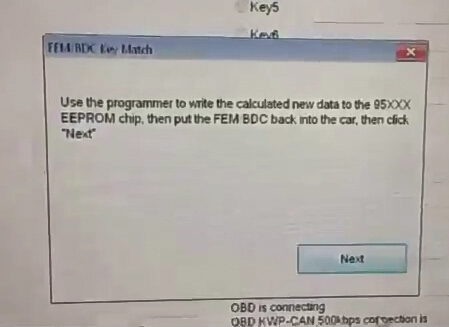
User the programmer to write the calculated new data to the 95xxx eeprom chip, then put the FEM BDC back to the car
click Next
cgdi-prog-14
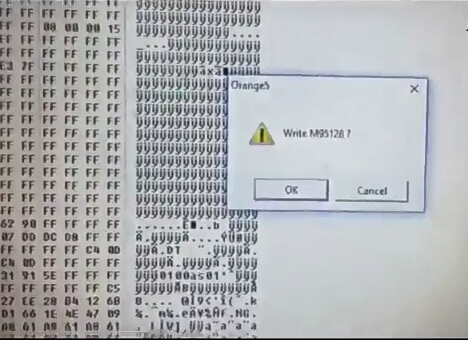
Click OK to write M95128
User the programmer to write the calcutaed new data to the 95xxx eeprom chip, then put the FEM BDC back to the car
click Next
Power on BMW FEM BDC test platform
The yellow indicator will flash
cgdi-prog-15
cgdi-prog-16
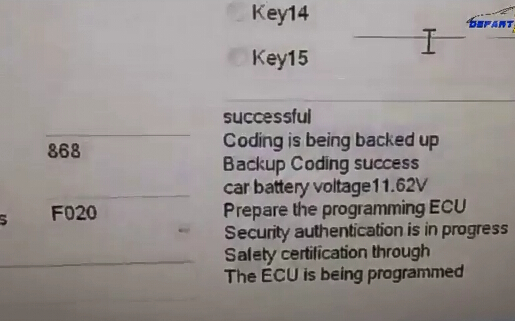
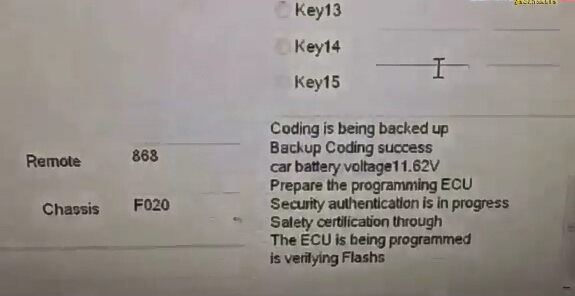
Coding is being backed up
The ECU is being programmed
and verify flashing
cgdi-prog-17
cgdi-prog-18
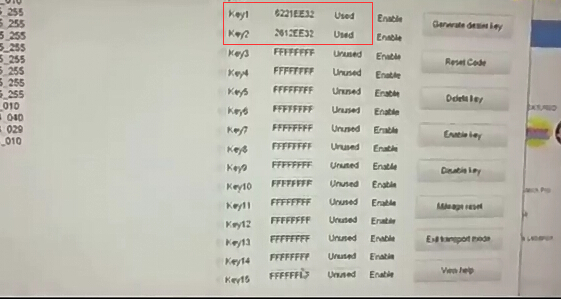
Program BMW F30 FEM key success
cgdi-prog-19
http://www.freewebsite-service.com/obd2tools/Blog.php?id=1091250&snavn=How+to+Program+BMW+F30+FEM+Key+with+CGDI+Prog+Key+Programmer

2017年10月20日星期五

LAUNCH 301050231 CRP 123 Premium


Category : Launch X431
CRP123 Premium-1-1
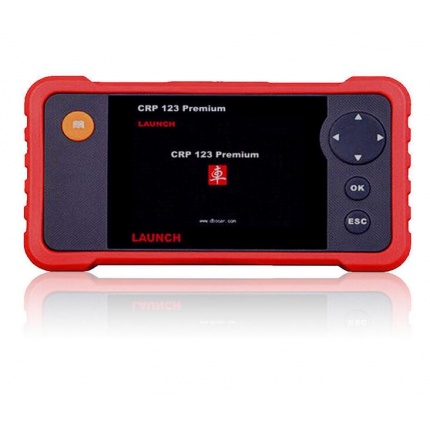
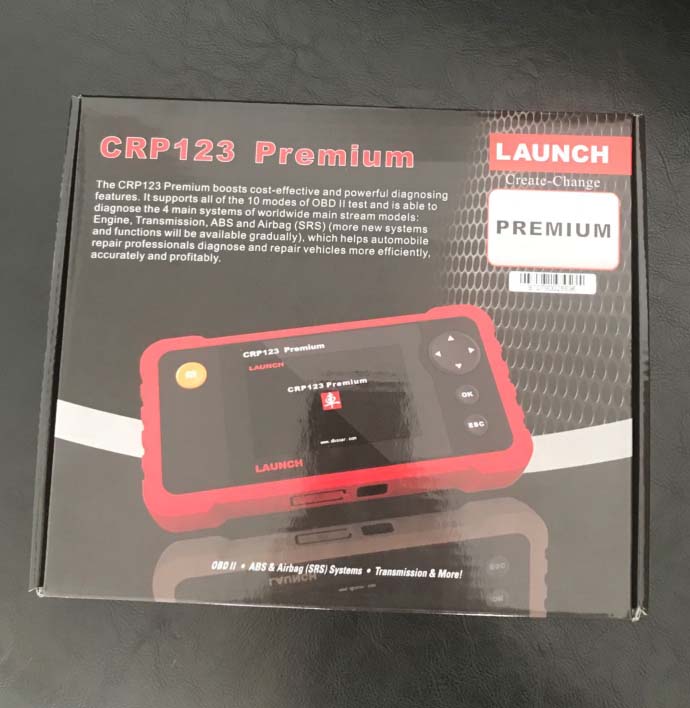
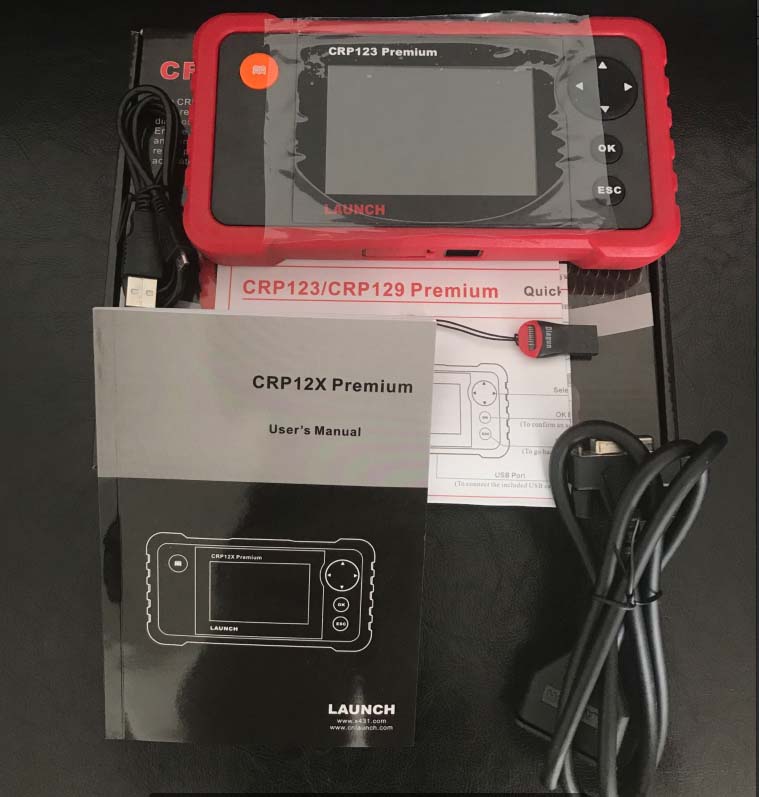
The LAUNCH Creader Professional 123 Premium (CRP 123P) combines the lines between a code scanner and a skilled mid-line scan tool. With features beyond the usual reading & clearing of fault codes, it takes you to a new level of diagnostics with added capabilities such as enhanced data stream for ABS, SRS, transmission and engine.
Read & clear fault codes of engine, ABS, SRS and automatic transmission for more than 30 vehicle brands!
Multilingual: ENGLISH, German, French, Italian, Spanish & Russian
Tests four major systems, engine, transmission, airbag (SRS) and anti-lock Brake system (ABS)
New: now it features an upgraded larger TFT Color screen
New: Upgrades to the latest software are done through a PC with a USB cable. No more need to remove the memory card for updates
New: improved thumb pad Layout for ease of navigation
The CRP123 premium from Obd2tool.com is was developed to test four major systems: engine, transmission, airbag (SRS) and anti-lock brake systems (ABS). it now features a new bigger 4.0″ TFT color screen, powerful diagnostic functions, such as reading DTCs, clearing DTCs and reading real-time live data streams. The CRP 123 also features the following, I/M readiness, MIL status, vin info and EVAP system testing. This new automotive diagnostic tool supports All 10 modes of OBD II tests for a complete diagnosis. Upgrades to the latest software are now done through a pc with a USB cable. With the CRP123 automotive repair professionals can diagnose and repair vehicles more efficiently, accurately and profitably.
CRP123 Premium-1-2
CRP123 Premium-1-3 http://crp123crp129.blogspot.com/2017/10/launch-crp-123-premium.html

2017年10月7日星期六

Knowing the OBD faults

The use of cars is a continuous process and the OBD fault codes are scattered across all the faculties of the car. These car fault codes are usually programmed systems within the car engine to aid with the car identity. When these codes show up, an area of the car is not in order.
Knowing the OBD faults
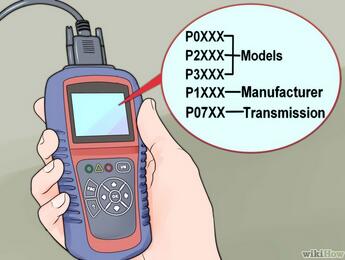
The car OBD system comprises the manufacturer specific code system which is pegged on the information gotten from the manufacturer and are usually specific to the given car brand. This was the biggest dilemma faced by the old generation scans.
17-1
The generic codes are usually standard codes and spread across the car brands these codes are helpful in determining certain car faults which may run across almost all the car brands. Most of these codes are fed into the OBD computer memory as the data trouble codes (DTCs)
With the standardization and the subsequent use of the OBD2 Scanner, the process of knowing the fault codes has been rather uniform. The codes are made to display on the OBD screen with the turning on of the malfunction illuminating light/ or the malfunction indicator light (MIL) acting as the primary basis for action.
For its standard nature, the second generation diagnostic devices are enabled to work across several car brands. It then makes them to be able to give just uniform results in all the car brands. That was the primary aim of the society of automotive engineers (SAE).
The DTC codes
The OBD fault code system or the DTC is quite diverse and may not be exhausted in one given text. Each of the manufacturer specific and generic codes which are fed into the OBD 2 system has got its own specific meaning.
The manufacturer DTCs
Some of the manufacturer specific codes usually seen on the car OBD screen display include;
17-2
The DTC p0176-p0199 -sensors which are dealing mainly with issues to do with the car circuit performances and the temperature within the car engine.
The manufacturer DTCsThe DTC p0 100–p0199– dealing with areas to do with the car airflow, the pressure functions, the temperature functions and the circuits.
The DTC p0200- p0299 -which concern themselves with areas to do with the car fuel consumption, regulation and the area of speed these are important in helping regulate the fuel economy of your car
The DTC p0300-p0399- concerned with all the areas of the ignition switch, the misfiring functions and the possible solutions
The DTC p0400-p0499- which is mainly concerned with the car emission controls. It is a major area of the car OBD 2 system where the emission control plays the major role. This fault code checks on the exhaust gas circulation, flow and anything in short or excess.
The DTC p0 500-p0 599– is usually concerned with the speed controls and is easily seen on the display when the speed goes above the expected. This fault comes in the form of air control, idling checks, starters and the immobilization keys. it also regulates how the car picks speed
The DTC p0700-p0899 -which is usually faulting codes concerned with the vehicle transmission system. Most of the areas covered dwell on the vehicle range sensors and the electrical relay systems within the car engine.
The DTC p0600-p0699 -which are concerned with checking whether the car engine computer system is in its correct state. When the memory or just the data saving module is not functioning, you are bound to notice this with the code appearing.
The generic fault codes
However, of note is the fact that the appearance of the diverse generic diagnostic codes has aided the process of car diagnostic scan use in a great deal. For instance, among the several millions of the generic codes some of them which we can lay our hands on include the following;
The P2000 Series– which are concerned with the car power train areas. These are usually advanced codes and they have diverse manifold readings. In particular, the control of the fuel use can be seen with specific diesel filter efficiency codes.
The P3000 series– are in particular concerned with the diagnosis of the power train malfunctions within the car and helps with the control of the areas of intake with the control valves of the exhaust being within its radar.
The diversification of the obd2 code reader is in itself a significant show of how wide the OBD fault codes are.  Without just a proper model of the OBD tool, which may in some cases be the Bluetooth ones, scanning may still go to naught.
With these codes, the correction process of the car system becomes quite easy. However, it may not be easy to the mechanic when the OBD language is also not set to be within the universal language of the area of repair.
The on board diagnostics is an installed system which works on its XTOOL when connected. But in all, having the data displayed on the screen is worth the effort, if you have to apply any.
https://lovecartools.tumblr.com/post/166162793052/kessv2-5017-ktag-7020

2017年9月23日星期六

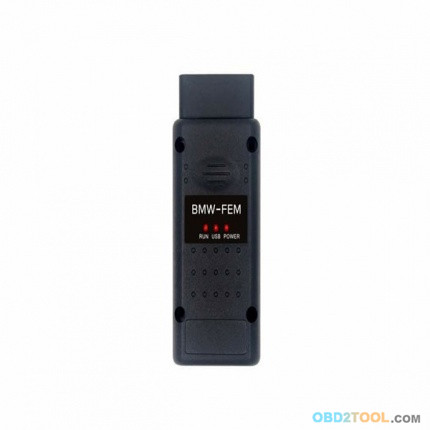
How to choose a best Yanhua BMW FEM BDC Key Programmer

New! Yanhua BMW FEM BDC Key Programmer is newly released at Obd2tool.com, it is able to program BMW FEM keys up to 2017 year. Below parts incl. its vehicle coverage, user tips, update and several YH BMW F Series CAS4+/FEM Blade Key 315MHZ / 433MHZ in different colors.
10-1
Yanhua BMW FEM Auto key programmer coverage (Up to 2017 year):
1 Series             F20/F21                    2011-2017
2 Series             F22/F23/F45/F46            2014-2017
3 Series/GT          F34/F35                    2012-2017
4 Series             F30/F31/F32/F33/F36        2014-2017
X5                   F15                        2014-2017
X6                   F16                        2015-2017
How to use Yanhua BMW FEM Key Programmer?
1.allows offline operate with easy and stable.
2.Need no tokens
so, don’t you think it is easy to operate.
Update: update on Yanhua official site http://www.autoemaster.com/
Where to get one Yanhua BMW FEM Key Programmer?
Not from Yanhua official site, but from the authorized dealer especially the one deal in Yanhua products for many years e.g. www.obd2tool.com. If you are preparing charging 500 tokens for Yanhua Digimaster 3, this adapter is free of charge.
YH BMW FEM Key Program Blade Key
http://www.obd2tool.com/goods-6918-Original+Yanhua+BMW-FEM+BMW+FEM+OBD+Car+Key+Programmer+Update+Online+No+Need+Token+Support+BMW+Till+2017.html

2017年9月15日星期五

how to update SKP1000 key programmer

Here is show how to update skp1000 key  programmer
Take out the TF card and insert it into the card reader
plug into the computer USB port
go to My Computer/local disk (H:)
“Format” disk H:
Tip: Tick on the “Quick format” and click on“Start”
format completes
go to the official site to download the update file
then copy and paste the file into the TF card
plug the TF card into the machine
power on the machine to the main interface

click on “Firmware update”

choose “System firmware update”, press “Yes”

Update successfully

Press “No” to back.

go to ” Adapter firmware update”
after finish, reboot the machine for use


Done

http://cheapobd2.com/2017/09/14/how-to-update-skp1000-key-programmer/

2017年9月13日星期三

How to Reset Mercedes SRS Light by Autel MaxiDas DS808

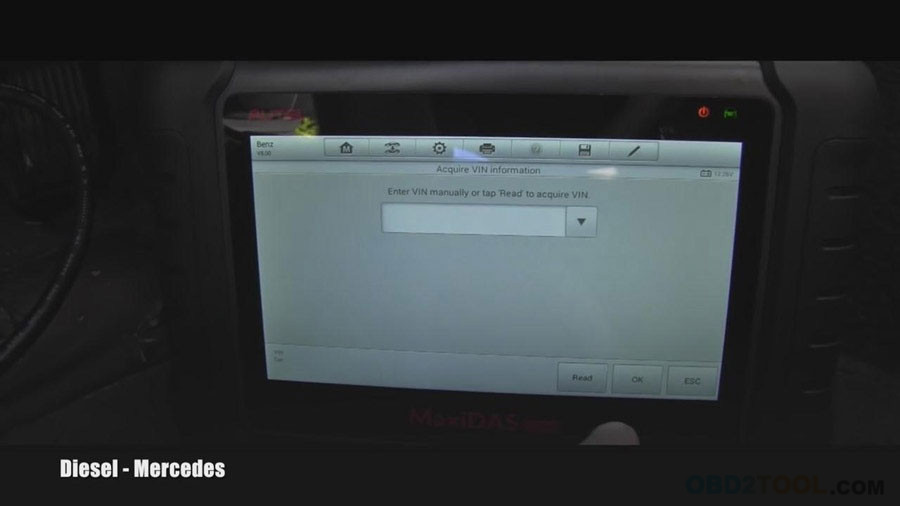
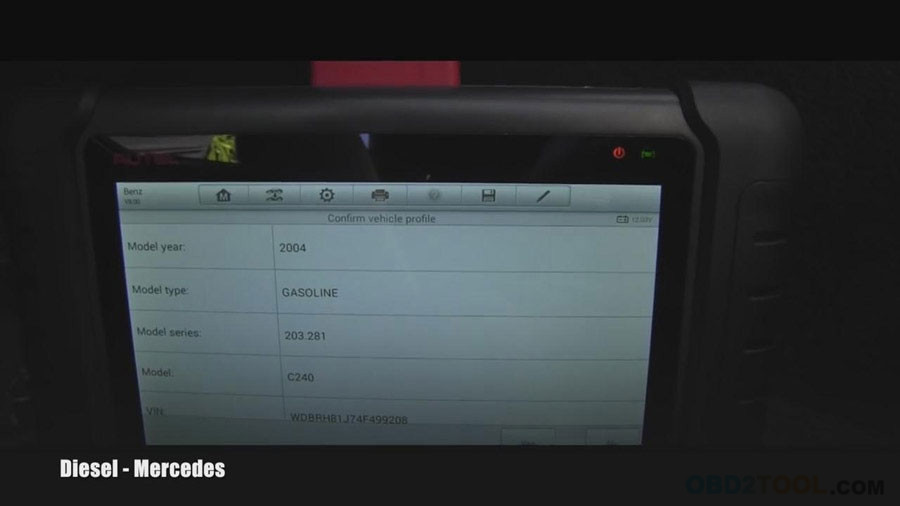
Have SRS warning light on, my car is 2004 Mercedes Benz C240 Gasoline, VIN WDBRH81J74F499208, I am using Autel Maxidas DS808 full version diagnostic system bought from obd2tool.com to turn off the airbag light on. Following parts are procedure.
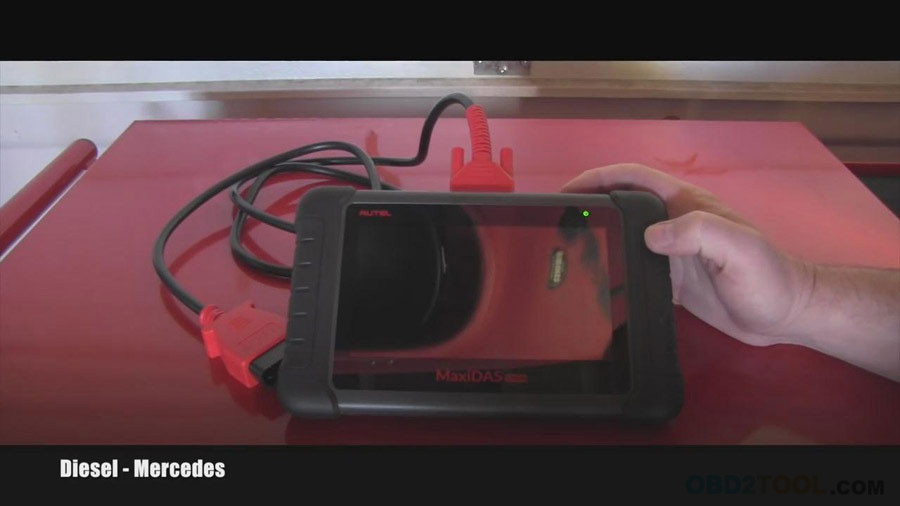
Turn on DS808
DS808-1-1
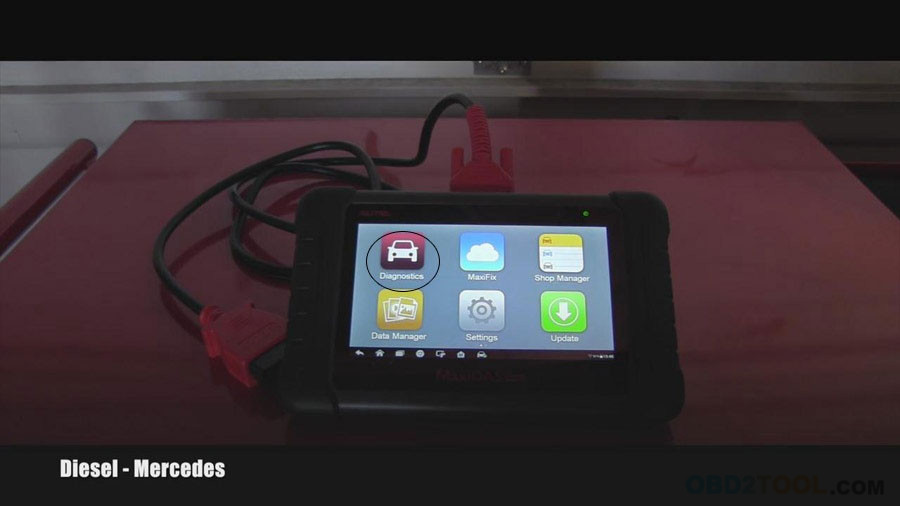
Slip the unlock key to the function menu, click “Diagnostics”
DS808-1-2
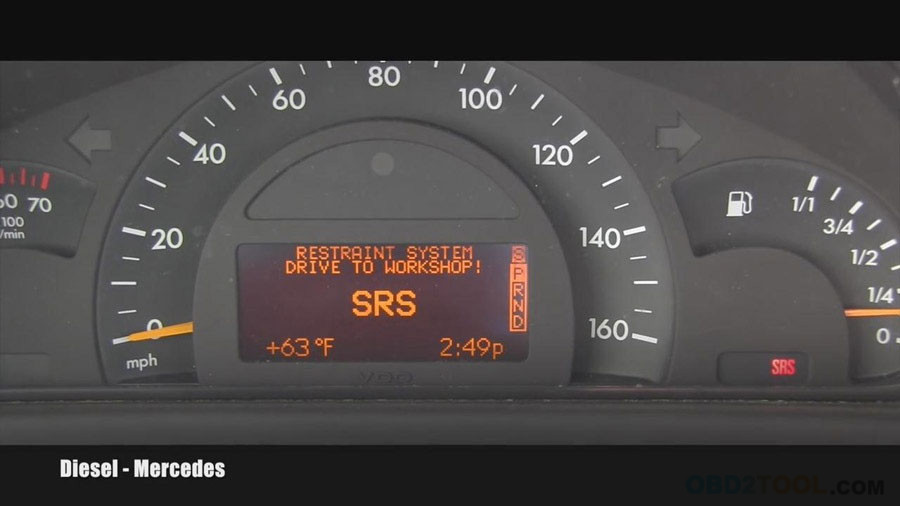
As you can see I have Mercedes Benz SRS warning light on.
DS808-1-3
Autel MaxiDAS DS808 Automatically read out the VIN
DS808-1-4
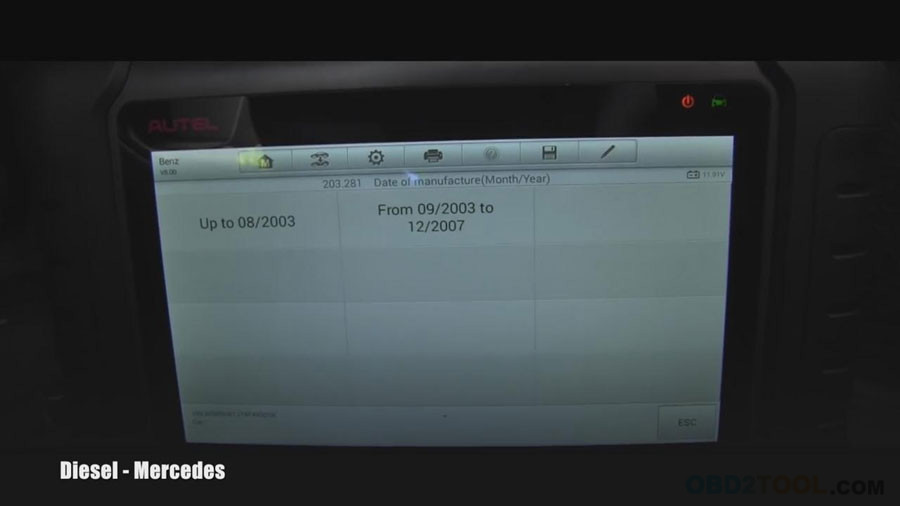
Choose “from 09/2003-12/2007”
DS808-1-5
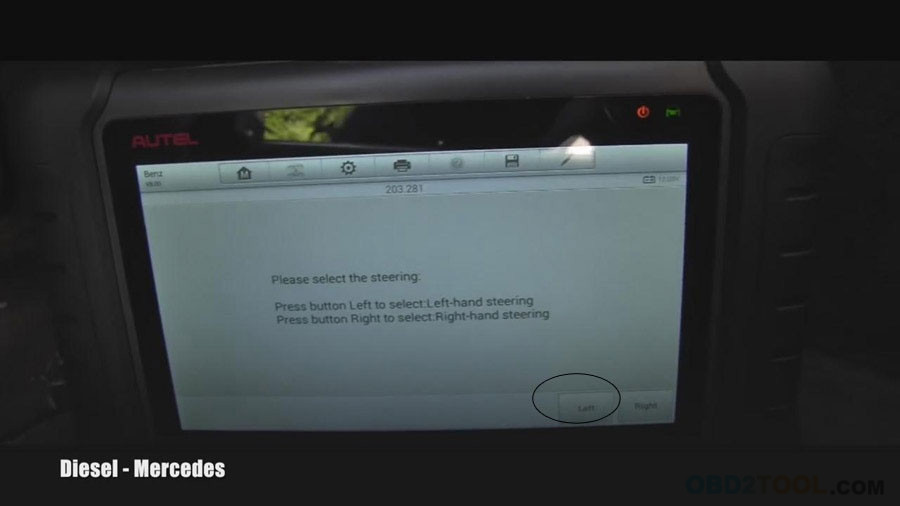
Press Button Left to select: Left-hand steering.
DS808-1-6
Confirm vehicle information
DS808-1-7
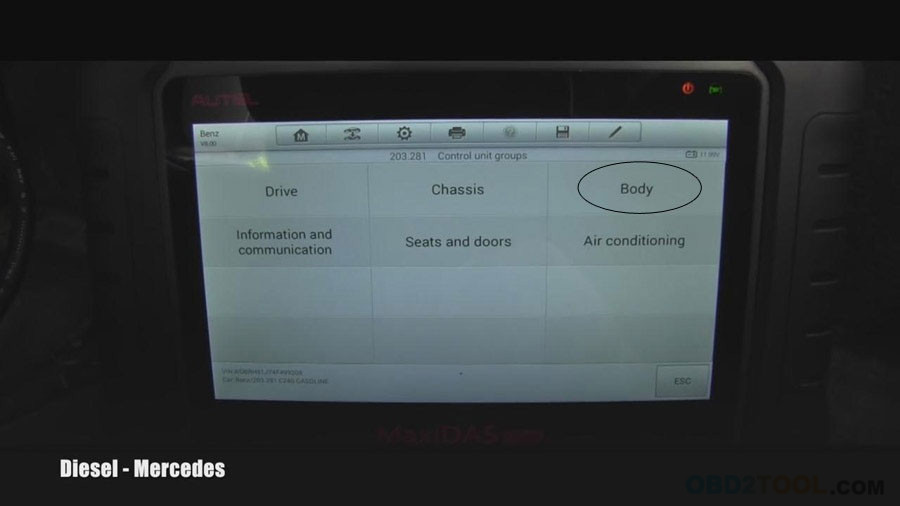
Choose “Body”
DS808-1-8
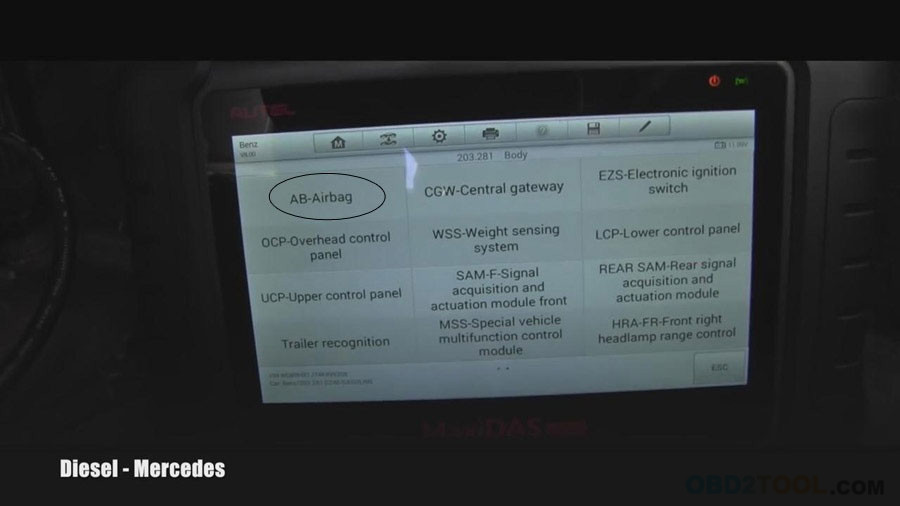
Choose “AB-Airbag”
DS808-1-9
Communicating…

http://forobd2tool.com/blog/2017/09/08/how-to-reset-mercedes-srs-light-by-autel-maxidas-ds808/

2017年9月9日星期六

How to Unlock and Add Toyota VXR V8 Smart Key

Guide to unlock and program smart key on a 2016 Toyota Land Cruiser VXR V8 5.7 4×4.
17-0
The solution was provided by a Chinese locksmith A Jie.
Problem:
A customer bought a Toyota Cruiser VXR V8 5.7 in Aug, 2016. When came back home he found one of keys did not working, could not start the vehicle. He came me for help.
Diagnose:
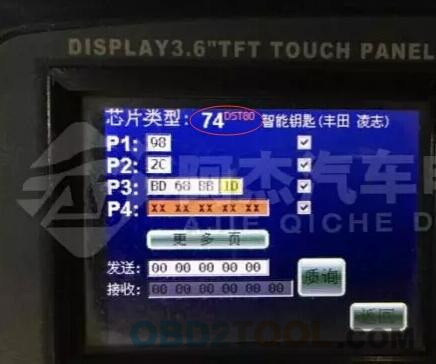
Check the key frequency and chip type with ND900 key copy machine from obd2tool.com. It showed key’s programmed, so the smart key is okay.

17-1
Analysis:
1. The smart key has been programmed but not been learned
2. 4S store gave you the wrong key (the key is not for this vehicle)
How to check:
Method 1:
Program/learn the smart key by using SKP1000 Tablet car key programmer. Unfortunately, skp-1000 failed to learn key. So the smart key is not correct key for this vehicle.  You should get the smart key unlocked and programmed. Go and check method 2.
Method 2:
Step 1: Unlock Smart key
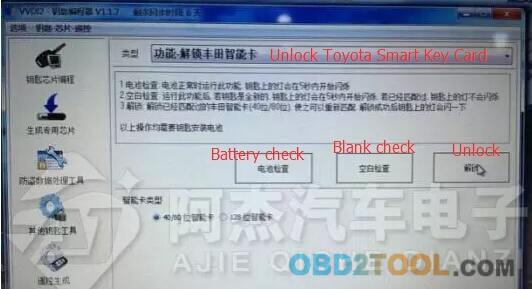
Unlock the smart key with Xhorse VVDI2 key programmer or ND900 Mini
17-3
17-4
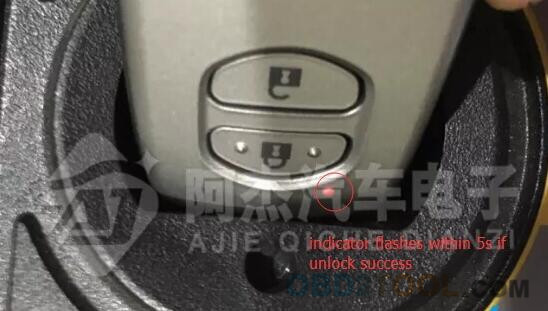
Perform Blank Check,  key indicator will flash within 5 seconds if VVDI2 unlock success
17-5
Again use Mini ND900 to check the unlocked smart key.
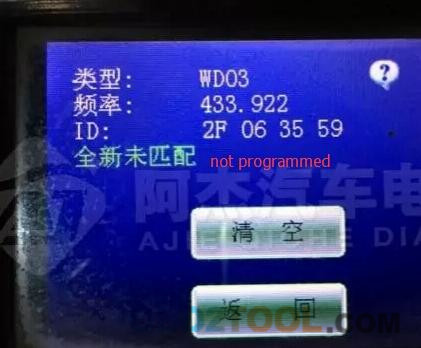
It shows not been programmed
17-6
Unlock smart key done.
Step 2: Add/Program smart key
Connect SKP1000 key programmer with vehicle via OBD socket
Select Immobilizer function- >select Toyota->Smart key CANBUS-> Smart key system
17-7 17-9
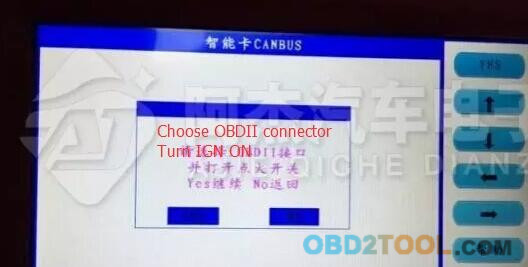
Choose OBDII connector
Turn ignition ON
Press YES to continue
17-10
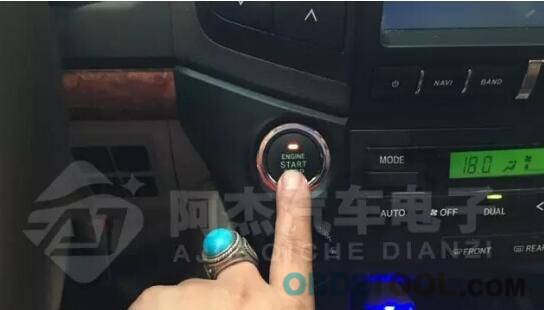
Press the Start button
17-11
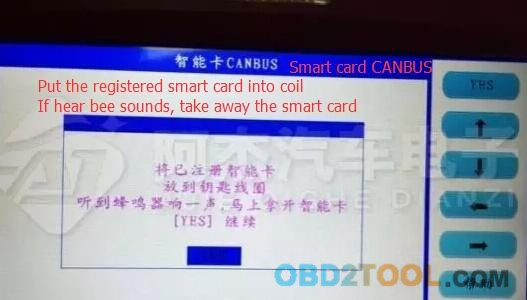
Put the registered smart card into coil.
If hear a beep sound, take away the smart card
17-12
Select Add smart key
17-13
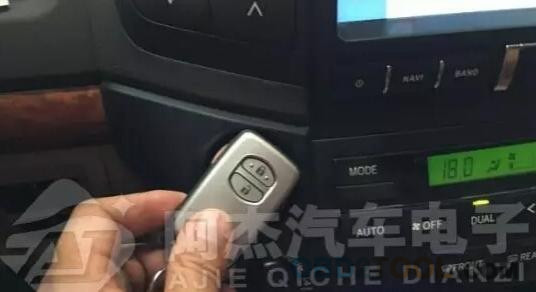
the working key is close to the emergency starting induction antenna
17-14
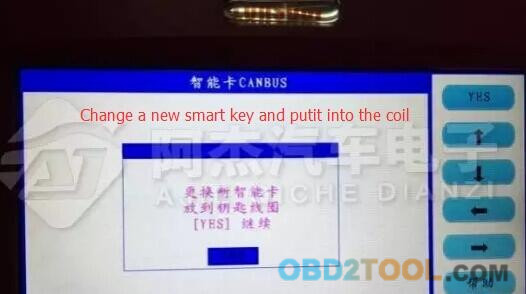
Change a new smart key and put it into the coil
Press YES to continue
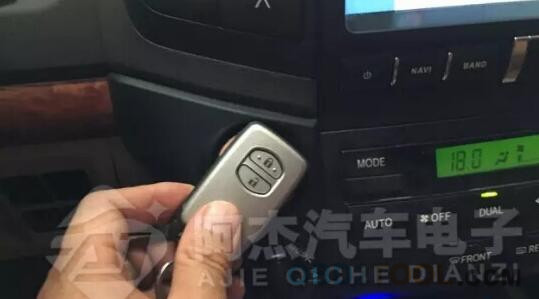
17-15
the new smart key is close to the emergency starting induction antenna
17-16
Configuring…
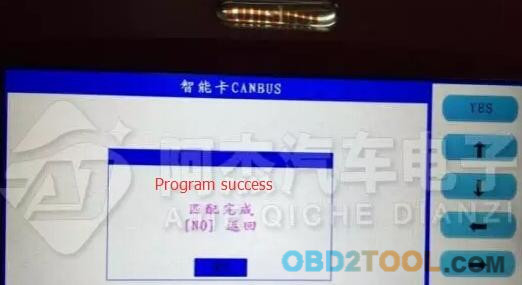
17-17
Program/Add smart key success
17-18
Test the new smart key.

http://lovecartools.webnode.fr/news/how-to-use-skp1000-to-program-koleos-2015-smart-card/