What’s is the best universal key programming tool for Ssangyong?
Attach Lonsdor K518 and OBDSTAR key master Ssangyong car list and test report.
Look here:
Part 1: Ssangyong vehicle coverage
– Lonsdor K518ise Ssangyong vehicle list
– OBDSTAR X300 DP PLUS Ssangyong vehicle list
Part 2: Test reports on Ssangyong
– Ssangyong Kyron 2014 remote program: Lonsdor K518ise done!
– Ssangyong Kyron 2008 all keys lost: Obdstar X300 DP Plus done!
in detail…
Part 1: Ssangyong vehicle coverage
Lonsdor K518ise Ssangyong vehicle coverage:
Actyon sports(II)\Diesel\Smart key
Actyon sports(II)\Diesel\Immobilizer
Actyon sports(II)\Petrol\Smart key
Actyon\XDi System
Actyon\Diesel
Actyon\Petrol
Chairman\XDi System
Chairman\Diesel
Chairman\Petrol\Immobilizer
ChairmanH\Petrol\Smart key
Kyron\XDiSystem
Kyron\Diesel
Kyron\Petrol
Korando\XDiSystem
Korando\Diesel
Korando\Petrol
New Korando\Diesel\Smart key
New Korando\Diesel\Remote
New Korando\Diesel\Immobilizer
New Korando\Petrol\Smart key
New Korando\Petrol\Remote
New Korando\Petrol\Immobilizer
Musso(Rexton sports)\Diesel\Smart key
Musso(Rexton sports)\Diesel\Remote
Musso(Rexton sports)\Diesel\Immobilizer
Musso\XDi System
Musso\Diesel
Musso\Petrol
New Rexton\XDi System
New Rexton\Diesel
New Rexton\Petrol
Rexton\XDi System
Rexton\Diesel
Rexton\Petrol
RextonⅡ\XDi System
RextonⅡ\Diesel
RextonⅡ\Petrol
Rexton W\Diesel\Smart key
Rexton W\Diesel\Immobilizer
Rexton(G4)\Diesel\Smart key
Rexton(G4)\Diesel\Remote
Rexton(G4)\Diesel\Immobilizer
Rexton(G4)\Petrol\Smart key
Rexton(G4)\Petrol\Remote
Rexton(G4)\Petrol\Immobilizer
Rodius-Stavic II\Diesel\Smart key
Rodius-Stavic II\Diesel\Immobilizer
Rodius-Stavic II\Petrol\Smart key
Rodius\XDi System
Rodius\Diesel\Type 1
Rodius-Stavic II\Diesel Type 2\ Immobilizer
Rodius\Petrol
Tivolan\Remote
Tivolan\Immobilizer
Tivolan\Smart key
XLV\Diesel\Smart key
XLV\Diesel\Remote
XLV\Diesel\Immobilizer
XLV\Petrol\Smart key
XLV\Petrol\Remote
XLV\Petrol\Immobilizer
Obdstar X300 DP PLUS Ssangyong vehicle coverage:
SSANGYONG
Remote
Add remote
Immobiliser
Select from vehicle
Actyon
Petrol
Diesel
XDi System
Program keys
Keys infomation
Chairman
Petrol
Diesel
XDi System
Korando
Petrol
Diesel
XDi System
Kyron
Petrol
Diesel
XDi System
Musso
Petrol
Diesel
XDi System
Rexton
Petrol
Diesel
XDi System
Stavic Rodus
Petrol
Diesel
XDi System
Select from type
Type 1
Program keys
Type 2
Program keys
Keys information
Type 3
Type 4
Part 2: Test reports on Ssangyong
Test 1: Ssangyong Kyron 2014 remote program:
Done with Lonsdor k518ise!
Step 1: Program key
Connect K518 host with vehicle via OBD
Select Immobilizer->SsangYong->Select from Type->Immobilizer->Type 2->Program key


(If don’t know which type to choose, try one by one. When select Type 1, it gave communication failed error. Type2 works)
Turn ignition switch to ON position with original key

Program complete. Program next key

Replace new key and turn on ignition
Program 2nd key success
Both keys can start car

Step 2: Program remote with
In Lonsdor k518, select SsangYong->Select from Type->Remote->Type 1->Program remote


Turn ignition off and remove key

Press and hold unlock/panic button of the remote for 2 secs, then release it

Program the new remote successfully

Remote control works!

Done!
Test 2: Ssangyong Kyron 2008 All Keys Lost
Done with OBDSTAR X300 DP PLUS PAD2 or DP!
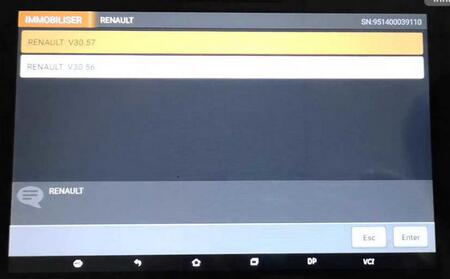
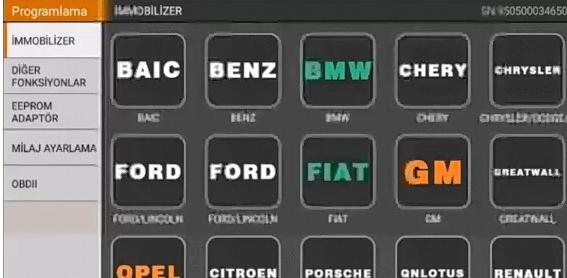
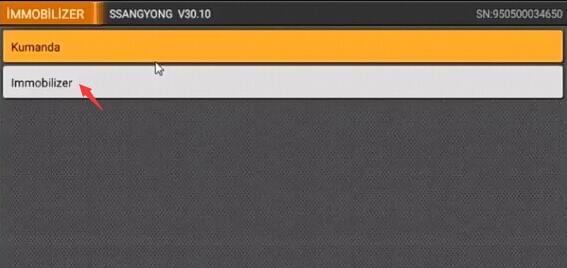
select Immobilizer – Qnlotus – Ssangyong 30.10 – Immobilizer


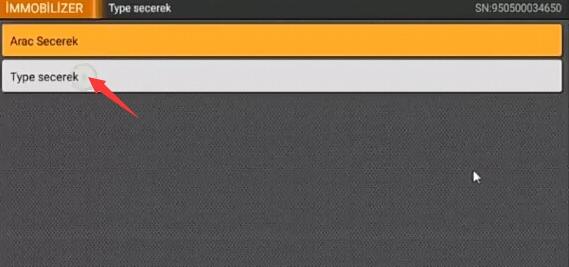
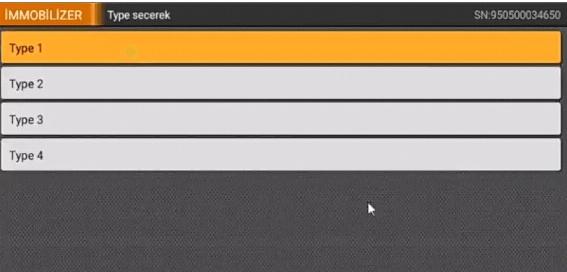
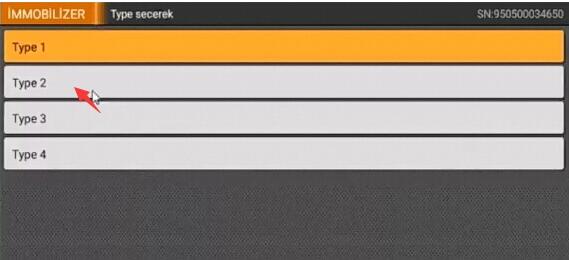
Select Type Type 1


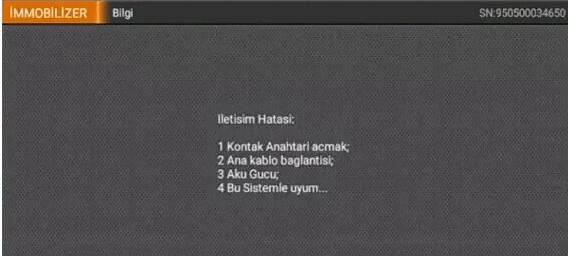
Communication Error:
1 Ignition Switch on;
2 Main cable connection
3 Aku Power
4 Compatibility with this system …
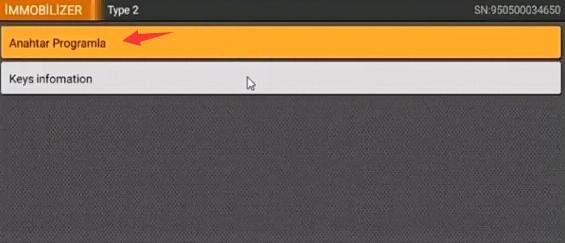
Select Type 2 – key programming)


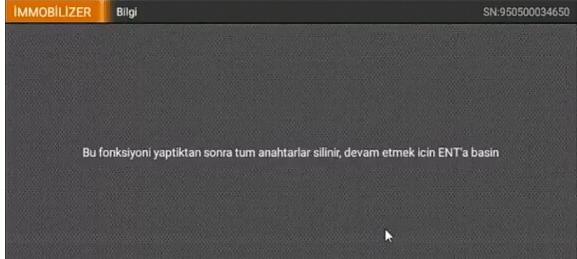
After you perform this function, the turn keys are deleted, press ENT’s to continue.

Press ENT to continue

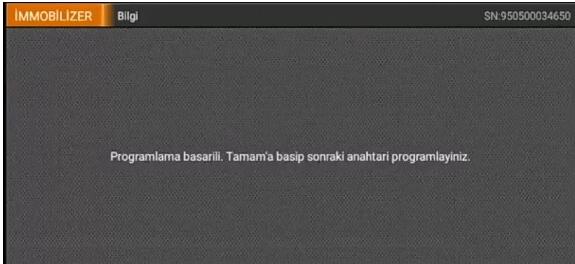
Programming success. Press OK to program the next key

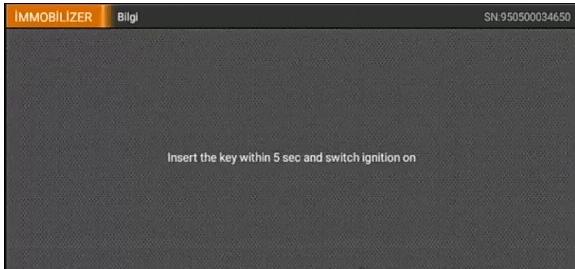
Insert the key within 5 sec and switch ignition on

Programming success. Press OK to program the next key

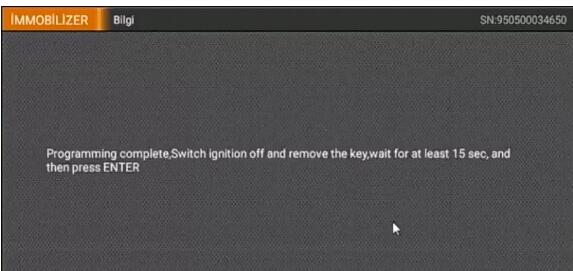
Programming complete. Switch ignition off and remove the key; wait for at least 15 sec and press ENTER

Done!
Attach Lonsdor K518 and OBDSTAR key master Ssangyong car list and test report.
Look here:
Part 1: Ssangyong vehicle coverage
– Lonsdor K518ise Ssangyong vehicle list
– OBDSTAR X300 DP PLUS Ssangyong vehicle list
Part 2: Test reports on Ssangyong
– Ssangyong Kyron 2014 remote program: Lonsdor K518ise done!
– Ssangyong Kyron 2008 all keys lost: Obdstar X300 DP Plus done!
in detail…
Part 1: Ssangyong vehicle coverage
Lonsdor K518ise Ssangyong vehicle coverage:
Actyon sports(II)\Diesel\Smart key
Actyon sports(II)\Diesel\Immobilizer
Actyon sports(II)\Petrol\Smart key
Actyon\XDi System
Actyon\Diesel
Actyon\Petrol
Chairman\XDi System
Chairman\Diesel
Chairman\Petrol\Immobilizer
ChairmanH\Petrol\Smart key
Kyron\XDiSystem
Kyron\Diesel
Kyron\Petrol
Korando\XDiSystem
Korando\Diesel
Korando\Petrol
New Korando\Diesel\Smart key
New Korando\Diesel\Remote
New Korando\Diesel\Immobilizer
New Korando\Petrol\Smart key
New Korando\Petrol\Remote
New Korando\Petrol\Immobilizer
Musso(Rexton sports)\Diesel\Smart key
Musso(Rexton sports)\Diesel\Remote
Musso(Rexton sports)\Diesel\Immobilizer
Musso\XDi System
Musso\Diesel
Musso\Petrol
New Rexton\XDi System
New Rexton\Diesel
New Rexton\Petrol
Rexton\XDi System
Rexton\Diesel
Rexton\Petrol
RextonⅡ\XDi System
RextonⅡ\Diesel
RextonⅡ\Petrol
Rexton W\Diesel\Smart key
Rexton W\Diesel\Immobilizer
Rexton(G4)\Diesel\Smart key
Rexton(G4)\Diesel\Remote
Rexton(G4)\Diesel\Immobilizer
Rexton(G4)\Petrol\Smart key
Rexton(G4)\Petrol\Remote
Rexton(G4)\Petrol\Immobilizer
Rodius-Stavic II\Diesel\Smart key
Rodius-Stavic II\Diesel\Immobilizer
Rodius-Stavic II\Petrol\Smart key
Rodius\XDi System
Rodius\Diesel\Type 1
Rodius-Stavic II\Diesel Type 2\ Immobilizer
Rodius\Petrol
Tivolan\Remote
Tivolan\Immobilizer
Tivolan\Smart key
XLV\Diesel\Smart key
XLV\Diesel\Remote
XLV\Diesel\Immobilizer
XLV\Petrol\Smart key
XLV\Petrol\Remote
XLV\Petrol\Immobilizer
Obdstar X300 DP PLUS Ssangyong vehicle coverage:
SSANGYONG
Remote
Add remote
Immobiliser
Select from vehicle
Actyon
Petrol
Diesel
XDi System
Program keys
Keys infomation
Chairman
Petrol
Diesel
XDi System
Korando
Petrol
Diesel
XDi System
Kyron
Petrol
Diesel
XDi System
Musso
Petrol
Diesel
XDi System
Rexton
Petrol
Diesel
XDi System
Stavic Rodus
Petrol
Diesel
XDi System
Select from type
Type 1
Program keys
Type 2
Program keys
Keys information
Type 3
Type 4
Part 2: Test reports on Ssangyong
Test 1: Ssangyong Kyron 2014 remote program:
Done with Lonsdor k518ise!
Step 1: Program key
Connect K518 host with vehicle via OBD
Select Immobilizer->SsangYong->Select from Type->Immobilizer->Type 2->Program key
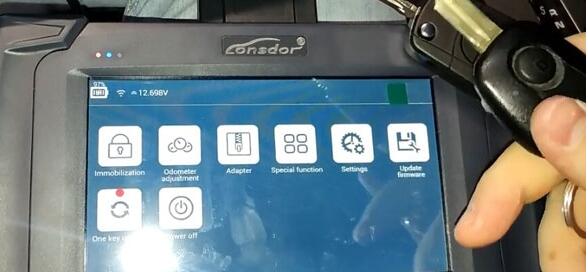
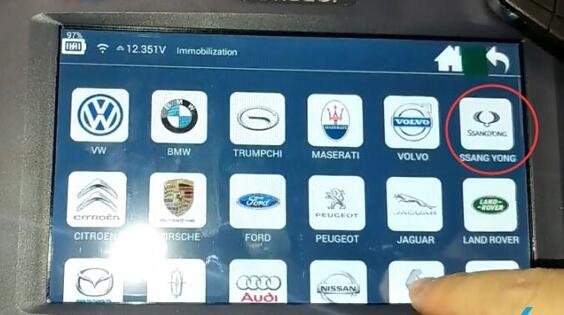

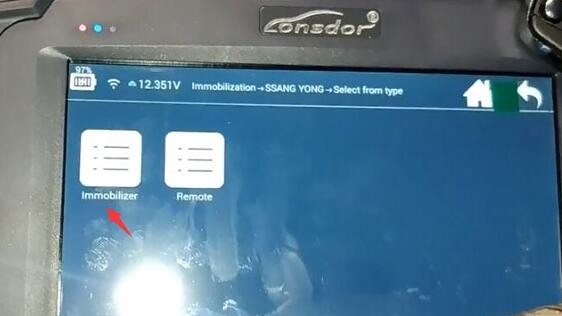
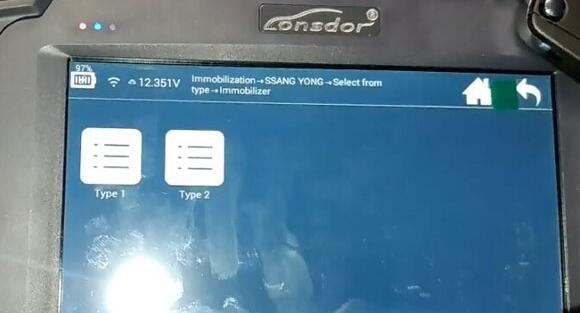
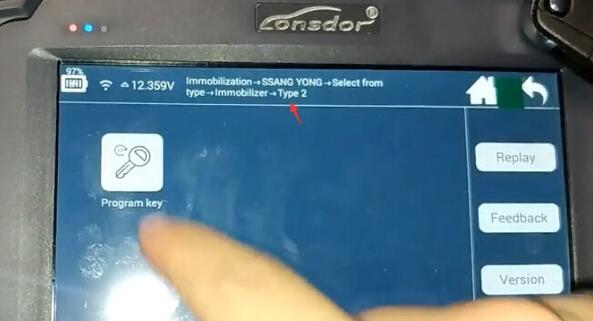
(If don’t know which type to choose, try one by one. When select Type 1, it gave communication failed error. Type2 works)
Turn ignition switch to ON position with original key
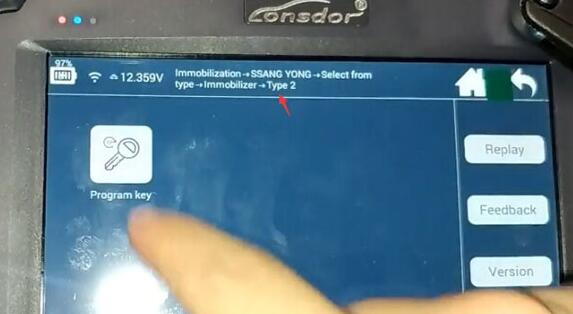
Program complete. Program next key
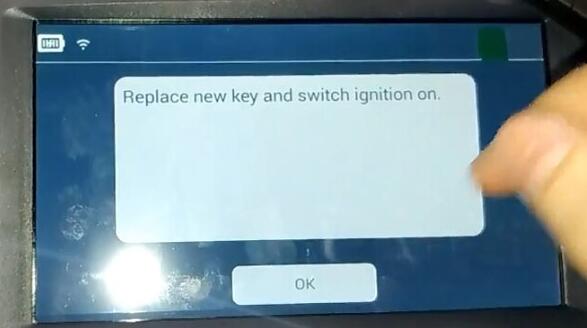
Replace new key and turn on ignition
Program 2nd key success
Both keys can start car
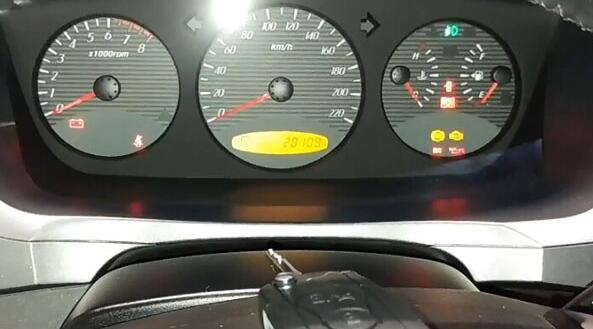
Step 2: Program remote with
In Lonsdor k518, select SsangYong->Select from Type->Remote->Type 1->Program remote

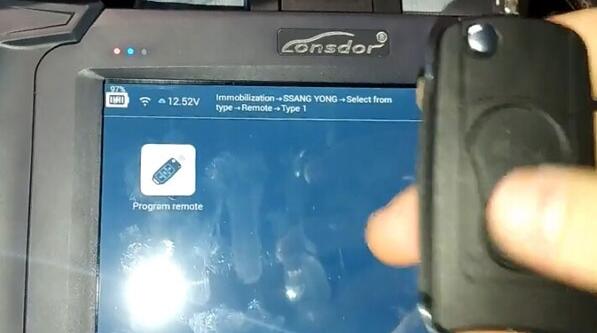
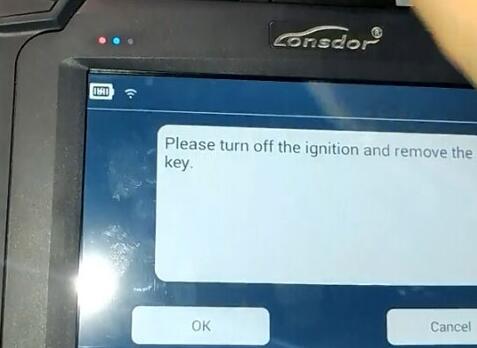
Turn ignition off and remove key
Press and hold unlock/panic button of the remote for 2 secs, then release it

Program the new remote successfully

Remote control works!
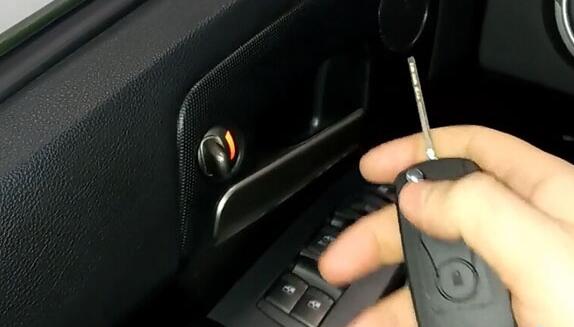
Done!
Test 2: Ssangyong Kyron 2008 All Keys Lost
Done with OBDSTAR X300 DP PLUS PAD2 or DP!
select Immobilizer – Qnlotus – Ssangyong 30.10 – Immobilizer

Select Type Type 1
Communication Error:
1 Ignition Switch on;
2 Main cable connection
3 Aku Power
4 Compatibility with this system …
Select Type 2 – key programming)
After you perform this function, the turn keys are deleted, press ENT’s to continue.
Press ENT to continue

Programming success. Press OK to program the next key
Insert the key within 5 sec and switch ignition on
Programming success. Press OK to program the next key

Programming complete. Switch ignition off and remove the key; wait for at least 15 sec and press ENTER
Done!